| Data Structure | Description | Key Features | Use Cases | Performance |
| Array | Fixed-size, contiguous memory allocation. Used for storing elements of the same type. | – Constant-time access (O(1)) for indexed elements.- Cannot resize once created. | – Low-level data storage.- Known fixed size. | – Access: O(1)- Search: O(n)- Insertion/Deletion: Not supported efficiently |
| List (List<T>) | A dynamic array that resizes automatically when elements are added/removed. | – Dynamically resizable.- Maintains order of elements.- Supports LINQ queries. | – Storing ordered data.- Frequent additions/removals. | – Access: O(1)- Search: O(n)- Insertion/Deletion: O(n) (due to resizing or shifting elements) |
| Dictionary (HashMap) | A collection of key-value pairs implemented as a hash table. | – Fast lookups with unique keys.- Unordered.- Keys must be unique. | – Storing mappings (e.g., ID → Object). | – Access/Search: O(1) (average)- Insertion/Deletion: O(1) (average) |
| HashSet | A collection of unique elements, implemented as a hash table. | – Fast lookups.- Only stores unique elements.- Unordered. | – Checking membership.- Removing duplicates. | – Add/Search: O(1) (average)- Insertion/Deletion: O(1) |
| Queue | A FIFO (First-In-First-Out) collection. | – Enqueue (add to end).- Dequeue (remove from front).- Used for sequential processing. | – Task scheduling.- Order-sensitive tasks. | – Enqueue/Dequeue: O(1) |
| Stack | A LIFO (Last-In-First-Out) collection. | – Push (add to top).- Pop (remove from top).- Peek (view top element). | – Undo operations.- Depth-first search. | – Push/Pop: O(1) |
| SortedList | A sorted collection of key-value pairs (sorted by key). | – Maintains keys in sorted order.- Slower than Dictionary for large datasets. | – When sorted keys are important. | – Search: O(log n)- Insertion/Deletion: O(n) |
| LinkedList | A doubly linked list where each element points to the next and previous elements. | – Efficient insertion/deletion at any position.- No random access (sequential only). | – Frequent insertions/deletions.- Traversing data. | – Access/Search: O(n)- Insertion/Deletion: O(1) (if the node reference is known) |
Tag: .Net
SSRS (SQL Server Reporting Services)
SSRS is a server side report by Microsoft. I used that to create interactive and printed reports in my C#, ASP .Net MVC project when I need to have export the report from the view page to a file (PDF or Excel).
I design the reports by using MS Visual Studio 2012 and be able to test the preview of the reports.
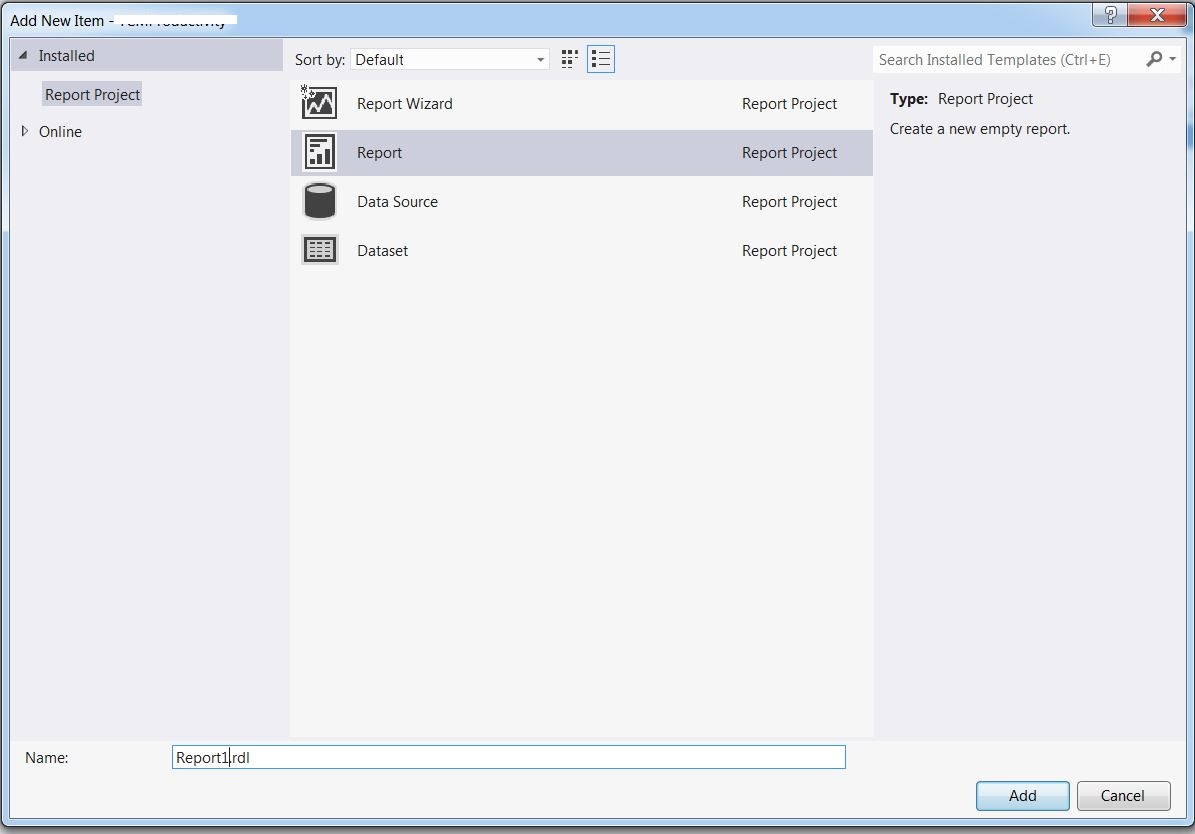
It can connect to the MS SQL Server database as a data source

and have the specific data set that can use queries or stored procedures,
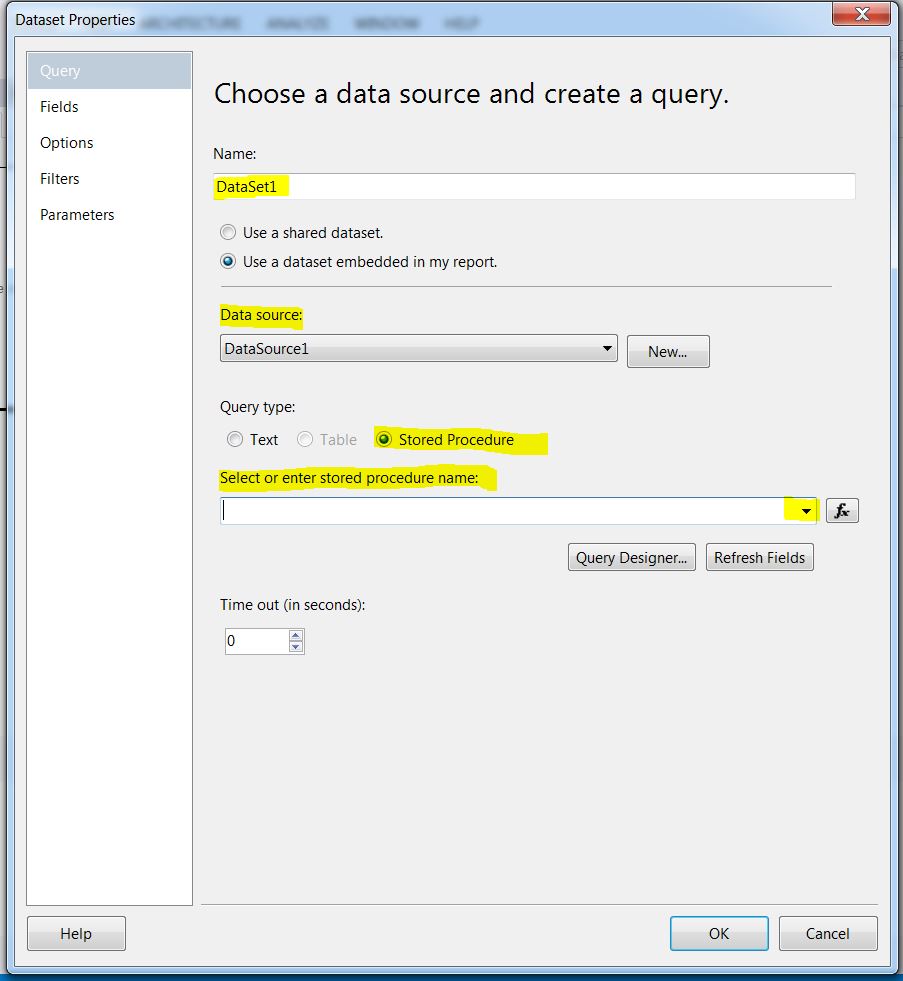
calculated fields and parameter values (entries for queries/ stored procedures).

Then the report will be created and we can add table, text box and etc. from the toolbox and design the report like this:

There is an option to edit the page layout and design the report or even have an expression for a specific textbox of the report; for instance if the calculated number is greater than zero make the field green and if it is less than zero make the field background red.
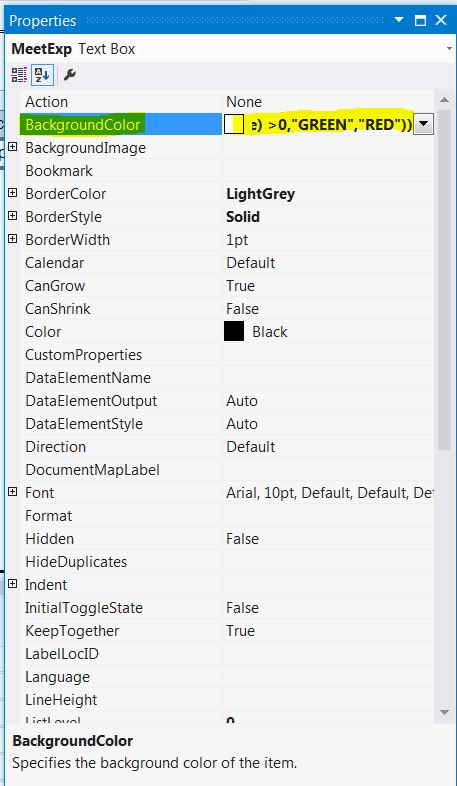
=IIF(VAL(ReportItems!MeetExp.Value) = 0,”No Color”,IIF(VAL(ReportItems!MeetExp.Value) >0,”GREEN”,”RED”))
After all these, we can test the report by preview tab and verify it is working correctly.
There was an issue that in the PDf I had some blank pages; the solution is: modifying the Margins of the report.
In the Design tab of the rdl report, right click on the grey part (outside of the report’s body) then select “Report Properties” and then change the width and Height to a bigger number.

This can fix the problem.
 Learn With Somayeh